Inspection Module
Features and functions of the Inspections module
is a core component that manages the planning, execution, tracking, and documentation of inspection activities..
Key Features of the Inspections Module
1) Inspection Planning & Scheduling
- Create inspection jobs or work orders based on asset or component..
- Define inspection scope (method: UT, RT, MT, PT, PAUT, TOFD, etc.).
- Assign technicians and equipment.
- Schedule inspections with timelines and priority levels.
- Integrate with maintenance or ERP systems (SAP, Maximo, etc.).
2) Checklist & Procedure Management
- Preloaded/customizable inspection checklists.
- Step-by-step procedures aligned with ASME, ISO, API.
- Attach reference docs, drawings, and SOPs.
- Define acceptance/rejection criteria per code requirements.
3) Data Collection & Recording
- Manual entry for field measurements.
- Capture readings for thickness, defect location, size, and orientation.
- GPS tagging for outdoor or pipeline inspections.
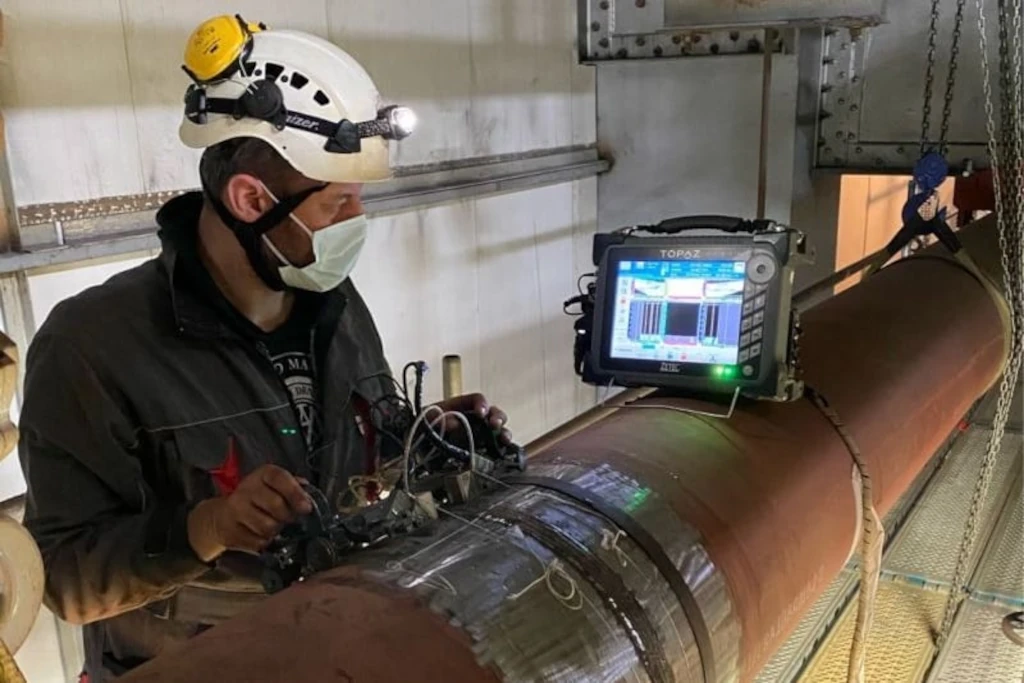
- Attach photos, radiographs, ultrasonic scans, videos.
4) Defect Logging & Evaluation
- Log detected flaws with type, size, depth, and position.
- Color-coded indication mapping.
- Auto checks against acceptance criteria.
5) Inspection Tracking & Status
- Real-time dashboards for ongoing work.
- Status indicators: Planned, In Progress, Completed, Approved.
- Notifications for overdue inspections or non-compliance.
6) Workflow & Approvals QA/QC
- Multi-level review and approval process (technician → supervisor → client).
- Electronic signatures and secure sign-off.
- Integration with quality assurance and compliance workflows.
7) Reporting & Documentation Outputs
- Generate detailed inspection reports with embedded images and annotations.
- Include defect summaries, location maps, and pass/fail status.
- Export in multiple formats: PDF, Excel, CSV.
- Automatic report archiving for audits.
8) Advanced Features (Modern Platforms) Next-Gen
- Mobile access for field inspections via app or tablet.
- Offline mode for remote sites with later sync to cloud.